To connect your persona to email, go to the “Channels” page in your dashboard and click the gear icon next to “EMAIL”.
Email Set-up
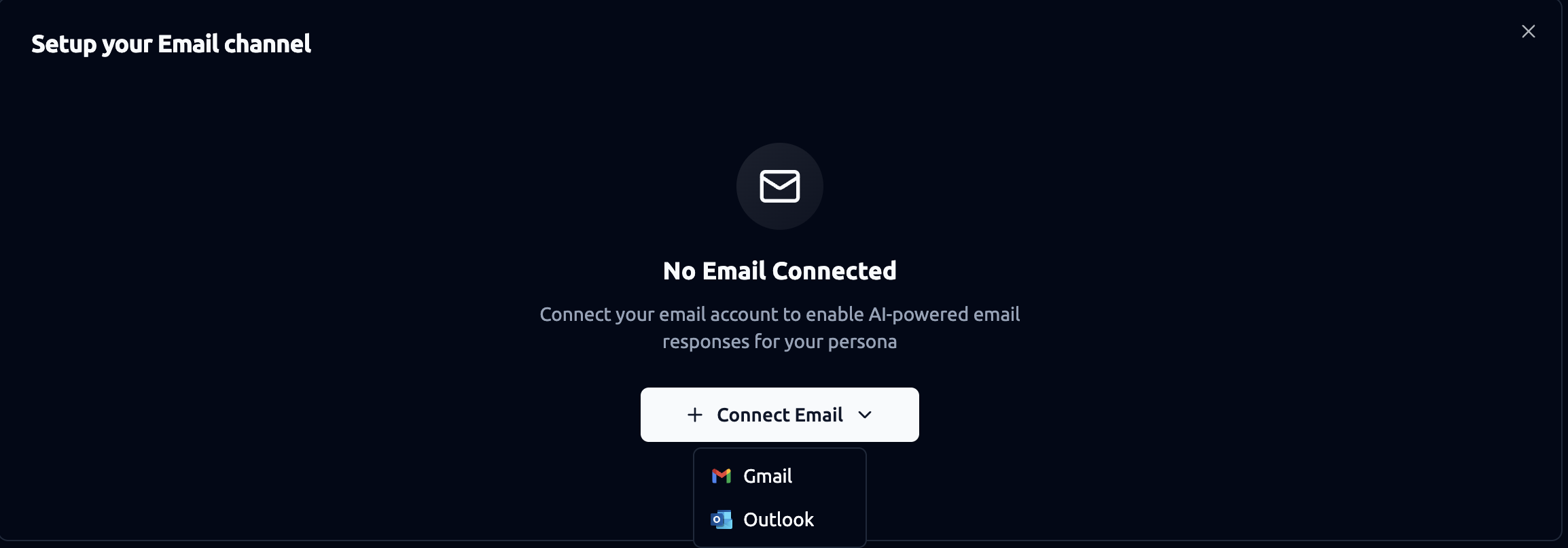
Step 1. Connecting an Email Account
-
Open the Email Channel setup page.
-
Click + Connect Email.
-
Choose Gmail or Outlook.
-
Complete the authentication using your provider’s login flow.
-
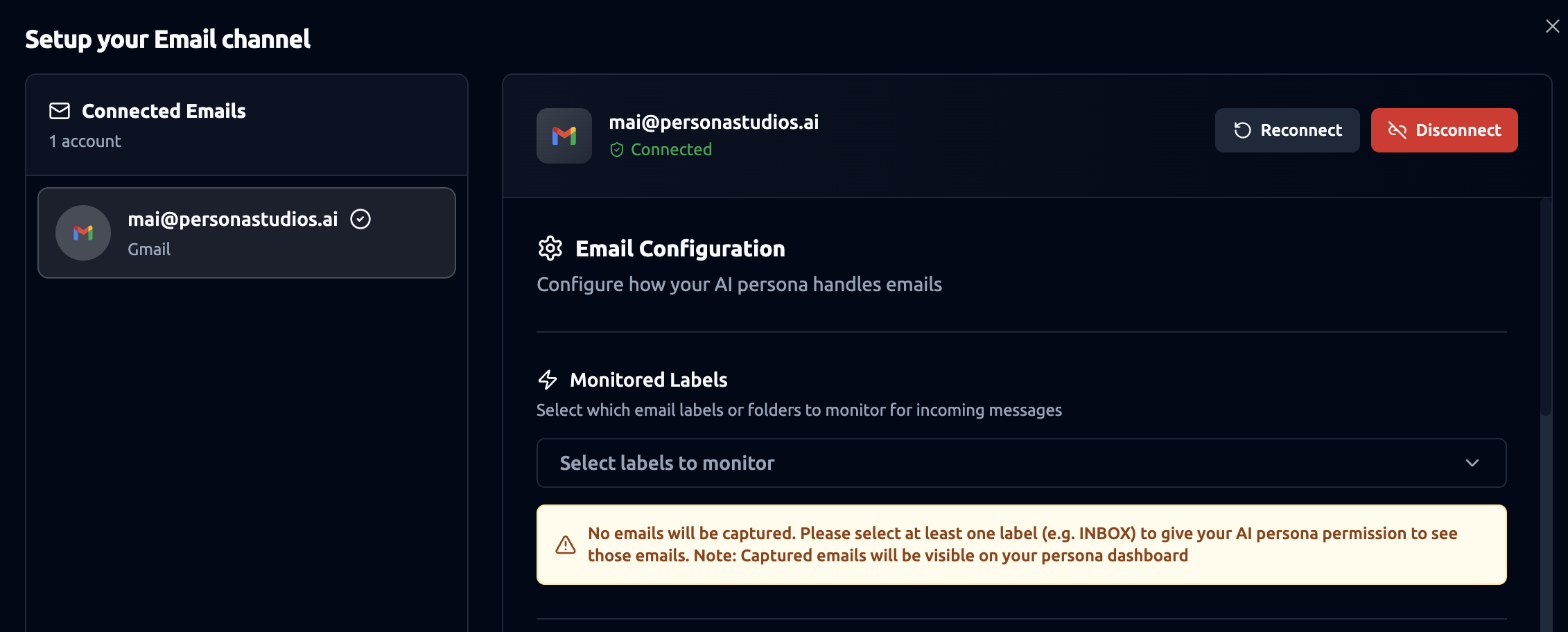
Once connected, the account will appear under Connected Emails.
-
After successful authentication, the email status changes to Connected.
Step 2. Email Configuration
After connecting an account, configuration options appear on the right side panel.
Monitored Labels/Folders: This section controls which incoming emails the persona is allowed to view.
You must select at least one label or folder (e.g., INBOX). Only emails from chosen labels will be captured. Captured emails will be visible in your persona dashboard.
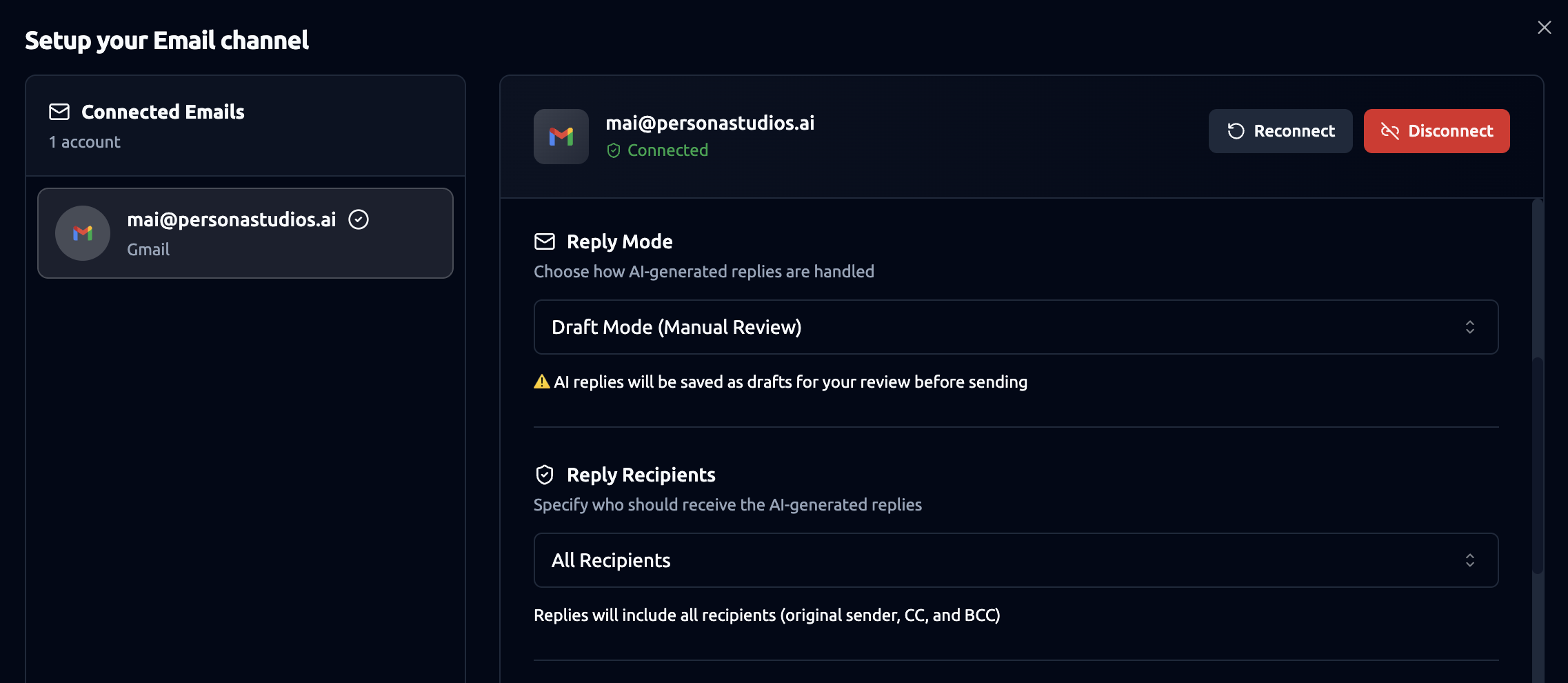
Reply Settings
-
Reply Mode: Controls how AI-generated replies are handled:
- Draft Mode (Manual Review): The persona generates replies but saves them as drafts. You must review and send them manually. This is recommended for users who want oversight. (Other reply modes may be available depending on your platform settings.)
-
Reply Recipients: Defines who the persona includes when sending or drafting replies.
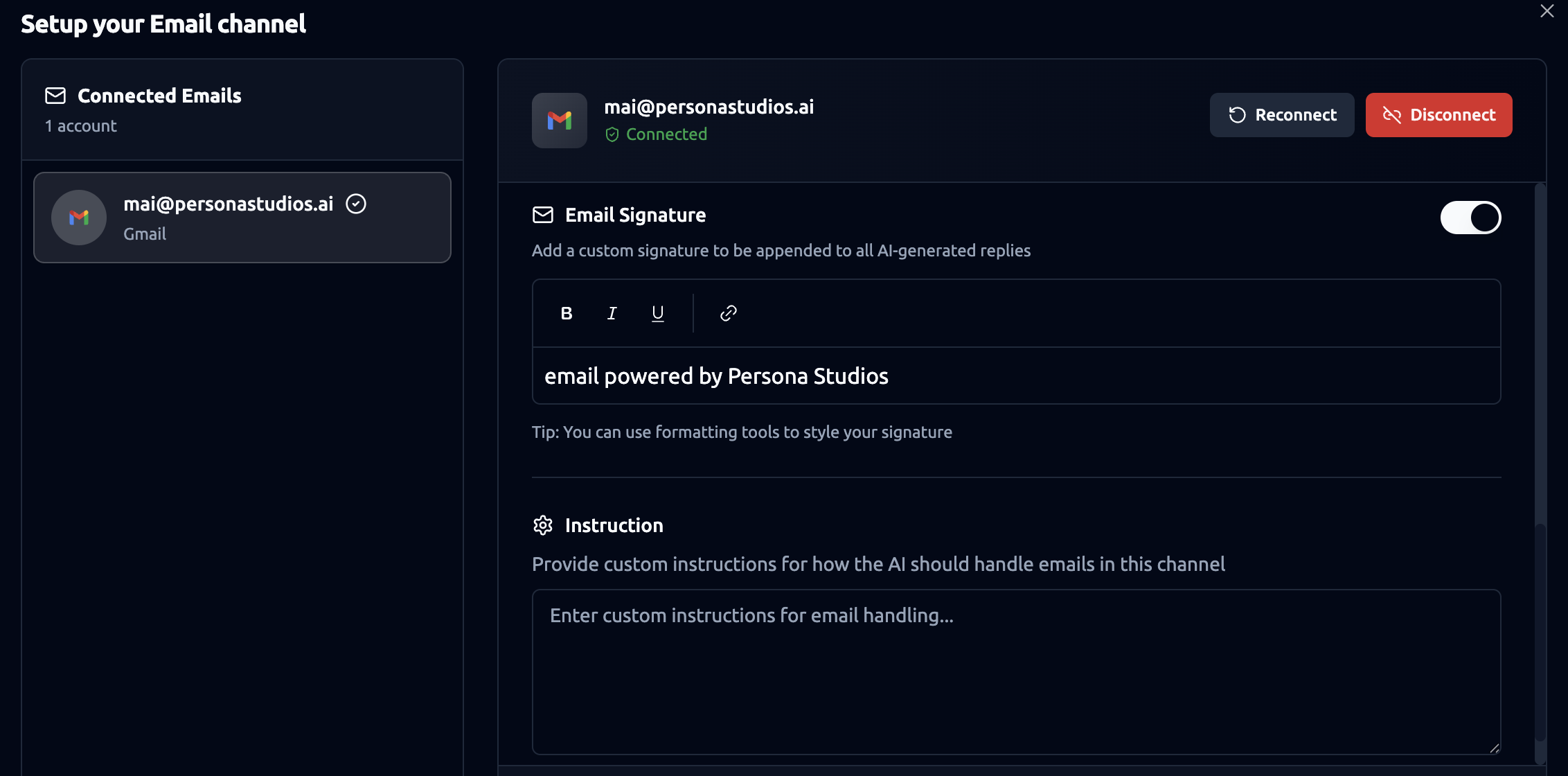
Email Signature
You can enable a custom signature that will automatically be appended to all persona replies.
Features:
-
Toggle signature on/off.
-
Rich text editor with bold, italic, underline, and hyperlink support.
Example signature: “email powered by Persona Studios”
Custom Instructions
This section allows defining specific guidance for how your persona should handle email communications.
Example Uses:
-
Tone preferences (formal, friendly, concise).
-
Rules for prioritizing or ignoring certain types of emails.
-
Handling instructions for specific clients or scenarios.
Reconnecting or Disconnecting Accounts
In the top right of the configuration panel, you will find:
-
Reconnect – Use if your session expires or authentication fails.
-
Disconnect – Removes the email integration entirely; the persona will no longer read or reply to emails from that account.